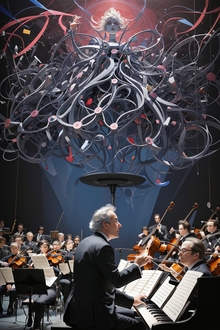
HSE ART AND DESIGN MEDIA опубликовал интервью с Вадимом Булгаковым о применении искусственного интеллекта в креативных индустриях. Проект включает разъяснение различий между нейросетями и ИИ, а также обсуждение влияния ИИ на образование и авторское право.
Дмитрий Андрияшкин написал статью о том, как использовать нейронные сети для продвижения портфолио в поисковых системах и социальных сетях. В статье описаны конкретные методы адаптации текстов под SEO и примеры использования нейросетей для генерации контента и создания цифровых аватаров.
Олег Пащенко рассказывает о применении нейросетей в образовательных процессах дизайн-курса «Дизайн в цифровой среде». Проект включает использование MidJourney и ChatGPT для создания иллюстраций, поиска форм и генерации текстовых описаний для учебных задач.
Дмитрий Андрияшкин рассказывает, как использовать нейросети для автоматизации маркетинговых задач в видеоинтервью. В проекте обсуждаются конкретные примеры применения ChatGPT и Яндекс Алисы для повышения эффективности работы в маркетинге.
pro.hsedesign
Digital platform for creating presentations. An innovative online constructor where everyone can showcase their projects, proposals or educational courses in spectacular way.
lecture
landing
presentation
presentation of the course
tutorial
explainer
We use cookies to improve the operation of the HSE website and to enhance its usability. More detailed information on the use of cookies can be fou...
Show more
Press space bar to start a drag.
When dragging you can use the arrow keys to move the item around and escape to cancel.
Some screen readers may require you to be in focus mode or to use your pass through key
Press space bar to start a drag.
When dragging you can use the arrow keys to move the item around and escape to cancel.
Some screen readers may require you to be in focus mode or to use your pass through key
Press space bar to start a drag.
When dragging you can use the arrow keys to move the item around and escape to cancel.
Some screen readers may require you to be in focus mode or to use your pass through key
Press space bar to start a drag.
When dragging you can use the arrow keys to move the item around and escape to cancel.
Some screen readers may require you to be in focus mode or to use your pass through key
Press space bar to start a drag.
When dragging you can use the arrow keys to move the item around and escape to cancel.
Some screen readers may require you to be in focus mode or to use your pass through key
Press space bar to start a drag.
When dragging you can use the arrow keys to move the item around and escape to cancel.
Some screen readers may require you to be in focus mode or to use your pass through key
Press space bar to start a drag.
When dragging you can use the arrow keys to move the item around and escape to cancel.
Some screen readers may require you to be in focus mode or to use your pass through key
Press space bar to start a drag.
When dragging you can use the arrow keys to move the item around and escape to cancel.
Some screen readers may require you to be in focus mode or to use your pass through key
Press space bar to start a drag.
When dragging you can use the arrow keys to move the item around and escape to cancel.
Some screen readers may require you to be in focus mode or to use your pass through key